


Unitree’s R1 starts at $4,900. That makes it one of the cheapest commercially available humanoid robots from an established robotics manufacturer.
But the headline price hides the catch that matters most. The $4,900 Air and $5,900 Standard models are closed systems. Neither one runs custom code. If you want the R1 as an actual development platform, you need the EDU configuration — and that changes the math considerably.
Here’s the full breakdown: hardware specs, real ownership costs, the two separate US regulations that apply to it, and the security gaps most coverage leaves out.
Unitree R1 Tiers at a Glance
| Spec | R1 Air | R1 Standard | R1 EDU |
|---|---|---|---|
| Price | $4,900 | $5,900 | ~$10,500 (shop-listed; official spec page still says “Contact Sales”) |
| Height | ≤123 cm | ≤123 cm | ≤123 cm |
| Weight | ~29 kg | ~29 kg | ~29 kg |
| Total DOF | 20 | 26 | 26–40 |
| Head DOF | 0 | 2 | 2 |
| Secondary development | No | No | Yes (open joint/sensor interfaces, Linux SDK, ROS 2) |
| Optional compute add-on | — | — | NVIDIA Jetson Orin module |
| Dexterous hands | No | No | Optional |
| Warranty | Not separately listed by Unitree | 8 months | 12 months |
Specs come from Unitree’s own R1 product page. Early 2025 launch coverage cited a lighter ~25 kg figure. Unitree’s current listing puts it at ~29 kg, so treat the weight as something that shifted after launch rather than a spec error.
What Do You Actually Get for $4,900?
Not a developer robot. That’s the single most important thing to understand before you buy.
The Air and Standard configurations run pre-built behaviors: walking, running, cartwheels, fall recovery, voice interaction. You trigger these through the included controller. You cannot write your own control code or access the joint-level interfaces on either tier.
Unitree’s own product page states plainly that only the EDU version supports secondary development. If robotics research or custom locomotion policies are the goal, the $4,900 and $5,900 tiers aren’t the right product. You’re paying EDU-level money either way once you add the accessories a real project needs.
What Can the Unitree R1 Actually Do?
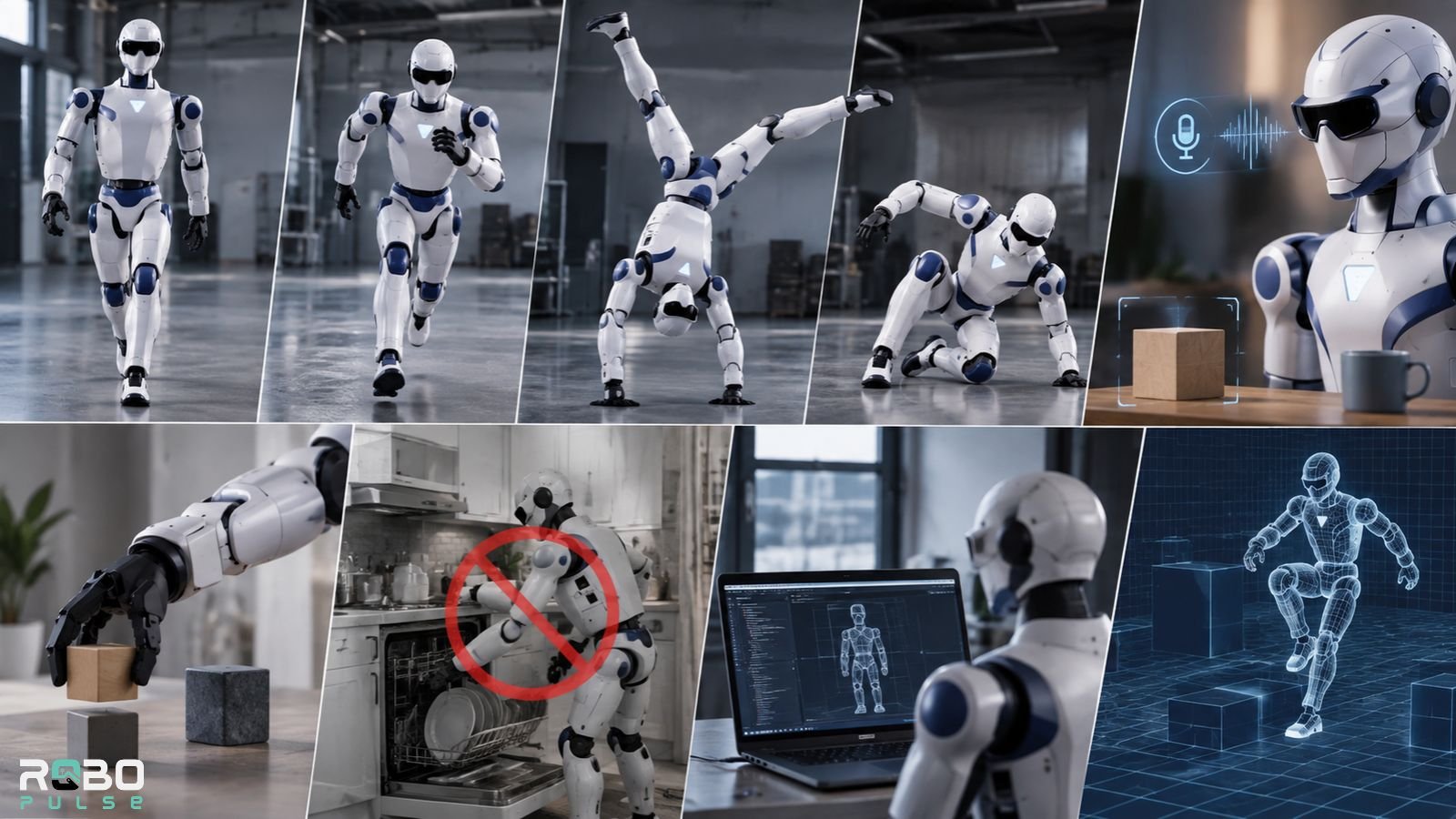
Separate the viral demo reel from real autonomy. They’re not the same thing.
| Capability | Reality |
|---|---|
| Walking, running | Yes, out of the box |
| Cartwheels, handstands, fall recovery | Yes, as pre-built motion routines |
| Voice and object recognition | Yes, via the onboard UnifoLM model, no cloud connection required |
| Picking up ordinary objects | Limited — standard hands aren’t dexterous |
| Household chores | No |
| Custom robotics development | EDU only |
| Sim-to-real policy deployment | EDU only, via open SDK and ROS 2 |
The cartwheels and handstands are operator-triggered motion routines, not evidence of general-purpose autonomy. A quick primer on how degrees of freedom are actually measured helps explain why a higher DOF count doesn’t automatically mean more useful work — it mostly means smoother, more varied motion, not better task performance.
Unitree’s own materials describe the R1 as built around locomotion first, with task execution layered on top as a secondary goal. If you want a robot that folds laundry or loads a dishwasher, this isn’t it. Even the EDU’s optional dexterous hands are an add-on, not a standard feature.
How Long Does the Battery Last?
Roughly one hour under mixed use, based on third-party spec trackers. Unitree doesn’t publish an official runtime figure on its main product page.
The battery is hot-swappable. A spare costs $500 direct from Unitree’s store. For comparison, the G1 runs about twice as long per charge — see the comparison table below. If extended unattended sessions matter for your use case, budget for at least one spare battery.
What Does the Unitree R1 Really Cost After Shipping and Accessories?
The $4,900 number is real, but it’s rarely the final number. Here’s what actually lands in your cart:
- Base robot: $4,900 (Air), $5,900 (Standard), or roughly $10,500 (EDU, shop-listed price — Unitree’s spec page still lists EDU as “Contact Sales”)
- Shipping: $300–$1,200, per Unitree’s own checkout disclosure
- Customs and import duties: buyer’s responsibility, varies by country
- Spare battery: $500 each
- Dexterous hands (EDU only): optional, priced on request
- Jetson Orin compute module (EDU only): optional, priced on request
A fully configured, US-landed EDU unit with a spare battery and hands can run well past the $10,500 shop price once freight and duties are added. Budget accordingly if you’re procuring for a lab or classroom.
Is the Unitree R1 Legal to Buy in the US?

Two separate US regulations touch Unitree, and buyers regularly confuse them.
The FCC Covered List. In late July 2026, the FCC added foreign-made “advanced robotic devices” — a category covering humanoid and quadruped robots — to its Covered List. Once a model is on that list, it can’t get the FCC equipment authorization required to import or sell it in the US.
Models that already held authorization before the cutoff are grandfathered in. They remain legal to import, sell, and own. Reporting on the rule’s rollout places the R1’s own authorization before that July cutoff, which would keep the currently listed configurations outside the new rule. Verify your specific model’s authorization status before an institutional purchase, though — the FCC can revisit authorizations case by case.
The Section 1260H “Chinese military companies” list. In June 2026, the Department of Defense added Unitree to this separate list, alongside companies including Alibaba, Baidu, and BYD. This restricts US federal defense contracting with Unitree. It does not ban private, academic, or commercial ownership, and it’s a different mechanism from the FCC’s import rule entirely.
Bottom line: private buyers can currently import and own the R1. Institutions with federal contracting exposure should treat the 1260H listing as a compliance question. Anyone buying for resale should confirm current FCC authorization status directly.
Is the Unitree R1 Safe on Your Network?
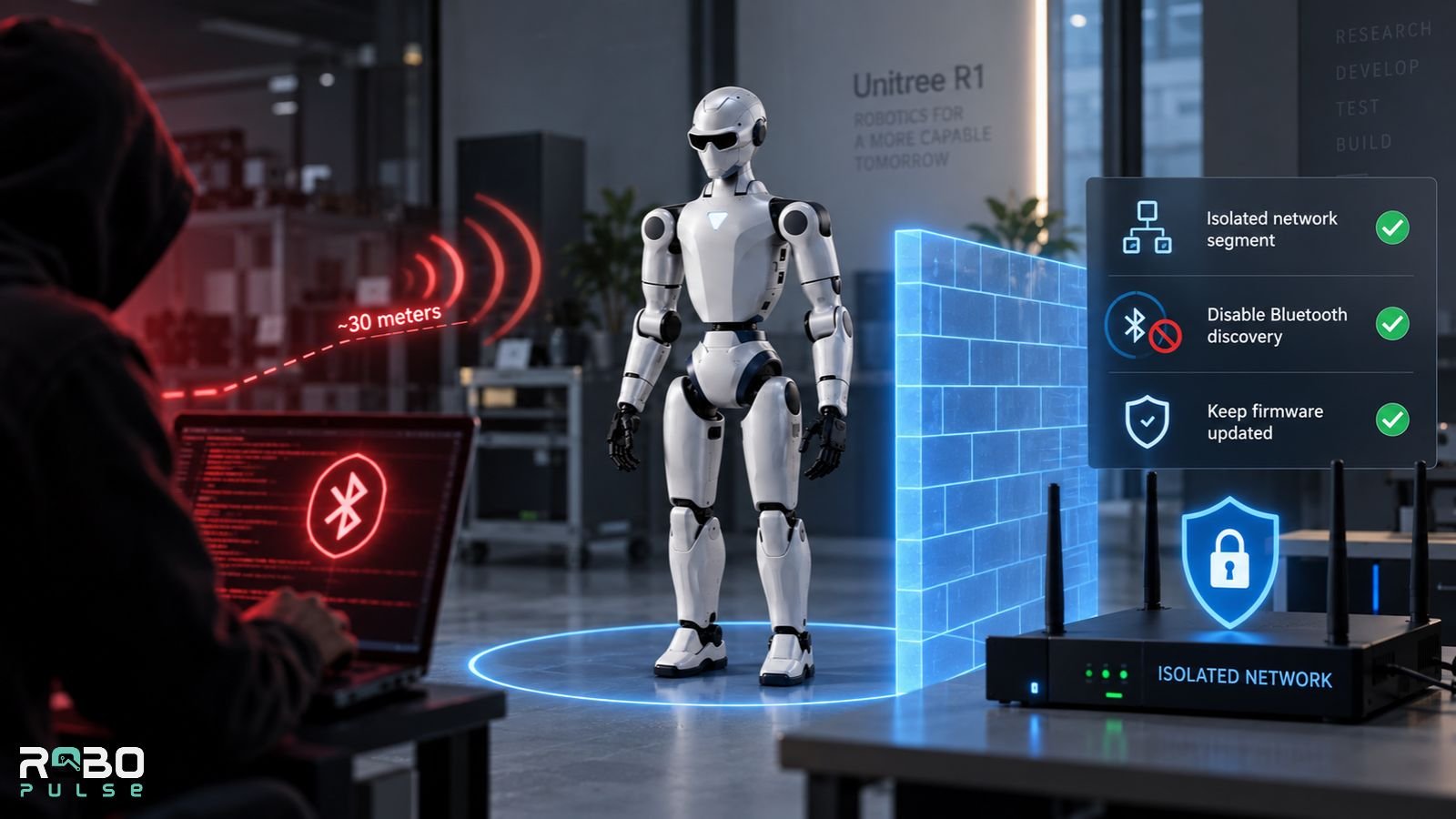
Treat it like any other connected Unitree robot: isolate it.
In September 2025, security researchers disclosed UniPwn, a wormable Bluetooth exploit. It gave attackers root-level control of Unitree’s Go2, G1, H1, and B2 models from roughly 30 meters away, using a hardcoded encryption key shared across units. IEEE Spectrum’s coverage called it the first major public exploit of a commercial humanoid platform.
The R1 launched after that disclosure and doesn’t appear on the original researchers’ confirmed-affected list. Later analysis has argued the underlying vulnerable interface extends to the R1 too, but the public reporting doesn’t confirm this the way it does for the four originally named models. Treat the R1’s exposure as unconfirmed, not ruled out.
A separate root-access exploit chain targeting the G1 EDU surfaced in August 2026. Researchers reported no confirmed public firmware patch for either issue as of publication.
Three mitigations apply regardless of model:
- Put the robot on an isolated network segment with no access to other devices
- Disable Bluetooth discovery once initial setup is done
- Don’t assume a newer model means a patched one
Unitree R1 vs. G1: Which Should You Buy?
| R1 | G1 | |
|---|---|---|
| Starting price | $4,900 (Air) / $5,900 (Standard) | $13,500 |
| Height | ≤123 cm | ~127–132 cm |
| Weight | ~29 kg | ~35 kg |
| Total DOF | 20–26 (26–40 on EDU) | 23 (up to 43 on EDU) |
| Battery life | ~1 hour (third-party estimate) | ~2 hours (official spec) |
| Sensors | Cameras + microphone array | Depth camera + 3D LiDAR + microphone array |
| Programming | EDU only | EDU only |
| Track record | New, aimed at individuals and classrooms | Already running pilot tasks at automakers including Nio and Geely |
Choose the R1 if you want the cheapest entry point into humanoid hardware and don’t need advanced sensing or long runtime. Choose the G1 if you need LiDAR-based perception, roughly double the battery life, or a platform with an existing industrial pilot track record — the full G1 review covers its factory deployments in more depth.
What Else Can You Get for $5,000–$15,000?
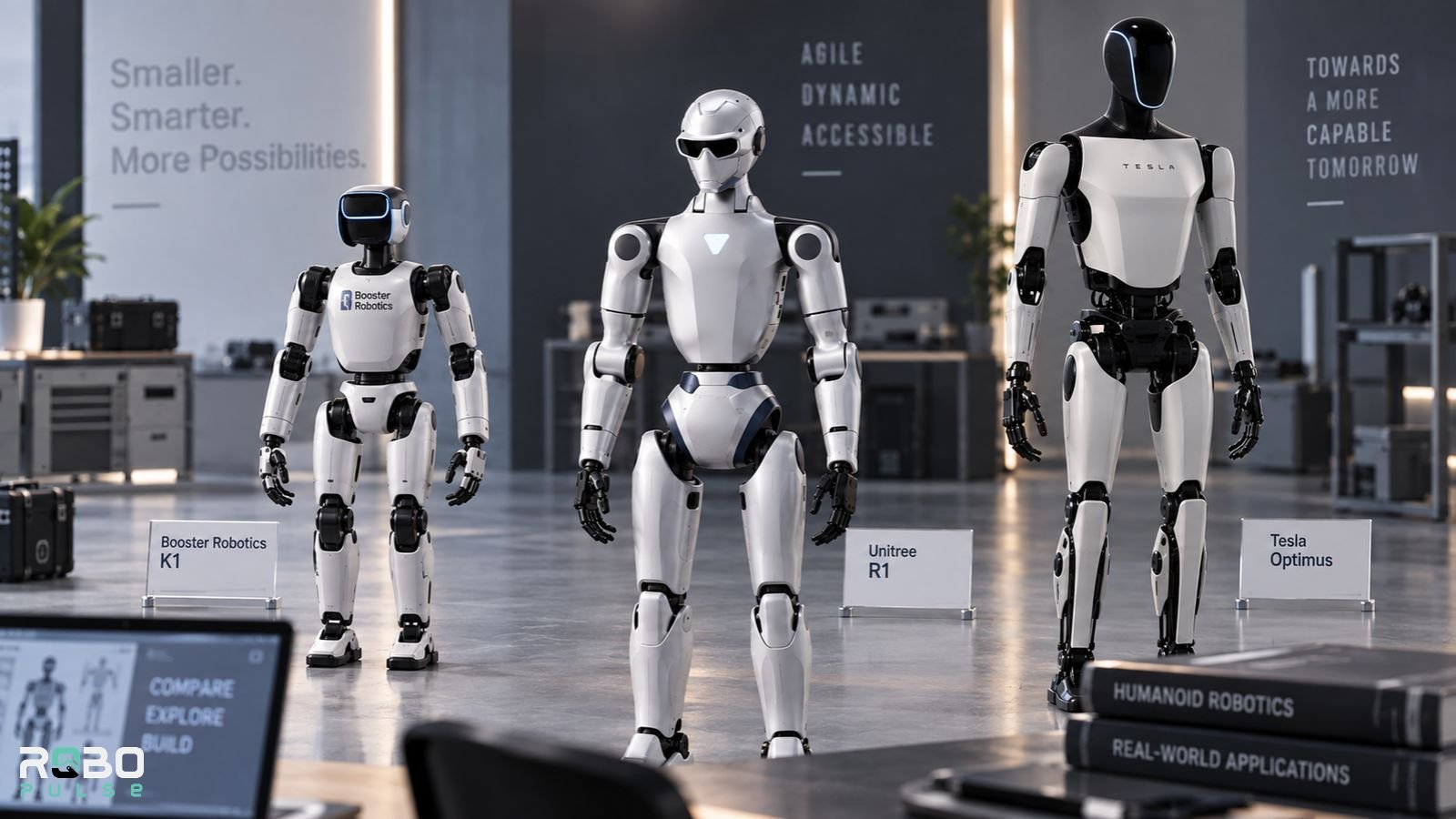
The R1 isn’t the only budget humanoid worth knowing about. Booster Robotics’ K1 is smaller — about 95 cm and 19.5 kg — with 22 DOF. Unlike the R1, its EDU and Pro configurations support secondary development out of the box, no top-tier purchase required.
Entry-level K1 configurations have been reported around $6,000, with EDU and Pro configurations from resellers running considerably higher once compute and support packages are added. If bipedal locomotion research is the goal and out-of-the-box programmability matters more than brand recognition, compare the K1 against the R1 EDU rather than the R1 Air.
Tesla’s Optimus sits in a different category entirely. It’s aimed at eventual factory and household labor rather than research, and it isn’t broadly available for individual purchase the way the R1 is — see the Optimus Gen 3 review for where that program currently stands.
For specs on other robots in this price range, RoboPulse’s full database and side-by-side compare tool cover verified figures across the field.
Who Should Actually Buy the Unitree R1?
Good fit:
- Robotics students and university labs
- Hobbyists experimenting with bipedal locomotion
- Developers buying the EDU specifically for sim-to-real RL work
- STEM demonstrations and classroom robotics programs
Poor fit:
- Anyone expecting household automation or chore-level manipulation
- Industrial material handling or heavy-payload work
- Organizations that need long unattended runtime
- Buyers unwilling to manage network isolation and security patching themselves
FAQs
Q. Is the Unitree R1 real?
Yes. Unitree unveiled the R1 in July 2025, and the robot has shipped since 2026 through Unitree’s store and AliExpress storefront.
Q. Can you buy the Unitree R1 in the US?
Yes. Currently authorized R1 configurations can be imported and owned in the US. A July 2026 FCC rule restricts future authorization of new foreign-made advanced robots but does not retroactively ban already-authorized models.
Q. Can you program the Unitree R1?
Only the Unitree R1 EDU supports custom programming. The Air and Standard models use pre-built behaviors and do not expose the joint and sensor interfaces required for custom development.
Q. Can the Unitree R1 pick things up?
Only to a limited extent. The standard R1 hands are not dexterous, while the EDU version can support optional dexterous hands. The R1 is better suited to locomotion and demonstrations than advanced manipulation.
Q. How long does the Unitree R1 battery last?
The Unitree R1 runs for roughly one hour under mixed use, based on third-party estimates. Unitree does not publish an official runtime figure. Its battery is hot-swappable, and spare batteries cost $500.
Q. Does the Unitree R1 have LiDAR?
No. The Unitree R1 uses onboard cameras and a microphone array rather than LiDAR. The larger G1 adds a depth camera and 3D LiDAR.
Q. What is the difference between the Unitree R1 and R1-D?
The Unitree R1 and R1-D are different robots. The R1 is a bipedal humanoid, while the R1-D is a separate dual-arm manipulation platform designed for tasks such as assembly and sorting.
Q. Is the Unitree R1 EDU worth it?
The R1 EDU is worth the extra cost if you need custom programming, robotics research, or sim-to-real development. If you only want the R1 for demonstrations and pre-built movements, the cheaper Air or Standard models make more sense.
Q. Is the Unitree R1 safe to connect to a network?
Use network isolation as a precaution. A 2025 UniPwn vulnerability gave attackers root access to several other Unitree models, although the R1 has not been confirmed as affected. Keep the R1 on an isolated network and disable unused Bluetooth when possible.
Related: AgiBot A2 Price: What This Humanoid Robot Really Costs in 2026