

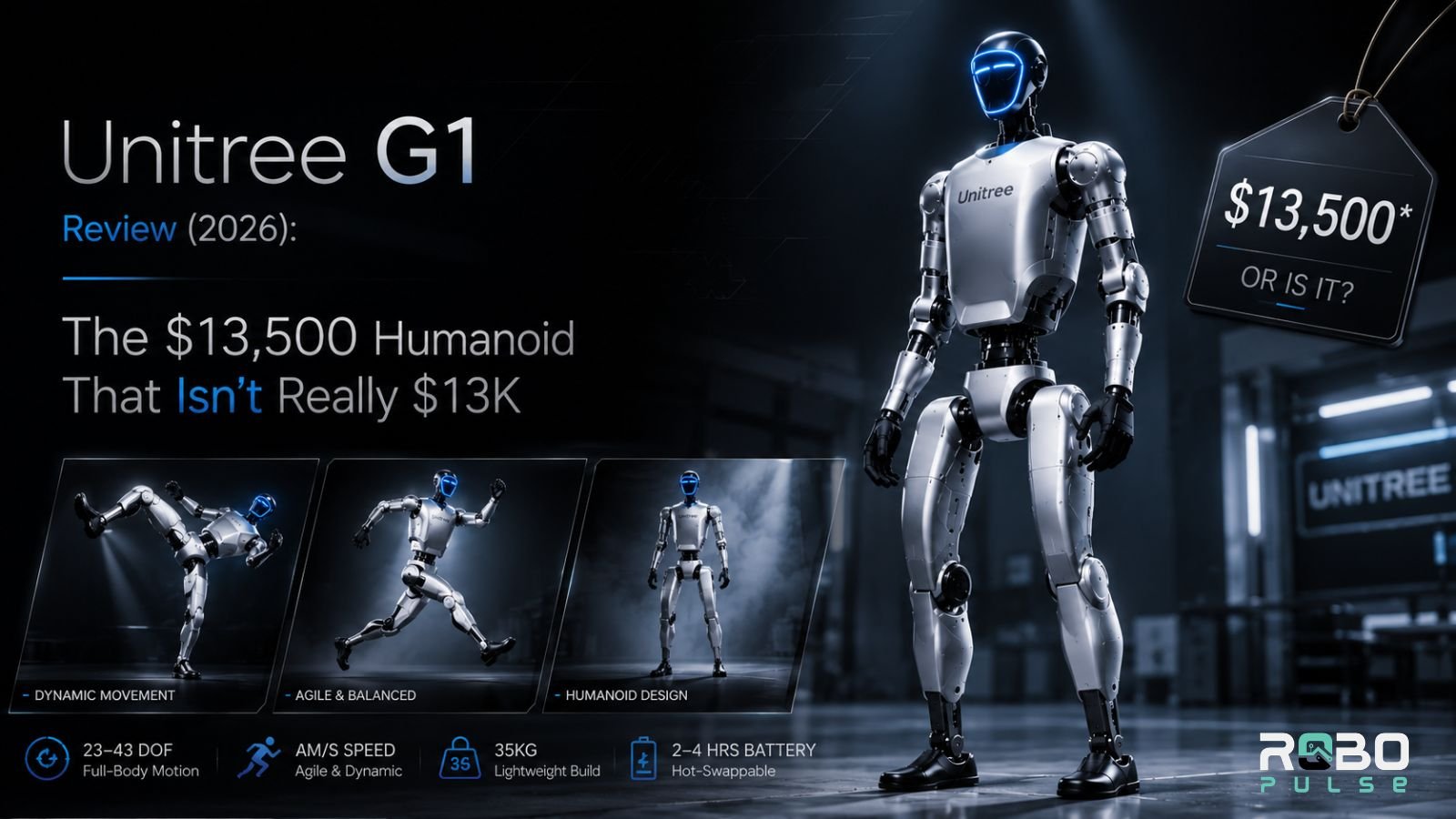
At a Glance
| G1 Basic (Standard) | G1 EDU Standard | G1 EDU Ultimate | |
|---|---|---|---|
| Price | $13,500 | $43,900 | $65,900–$73,900 |
| Height | 1,320 mm | 1,320 mm | 1,320 mm |
| Weight | ~35 kg | ~35 kg | ~35 kg+ |
| DOF | 23 | 23 | 41–43 |
| Hands Included | Fixed grippers | Dummy hands (no wrists) | 5-finger dexterous |
| Compute | 8-core CPU only | 8-core CPU + Jetson Orin option | Jetson Orin NX/AGX |
| SDK Access | ❌ None | ✅ Full (C++, Python, ROS 2) | ✅ Full |
| Knee Torque | 90 N·m | 120 N·m | 120 N·m |
| Warranty | 8 months | 12 months | 18 months |
Pros and Cons
Pros
- Lowest-cost serious humanoid development platform currently shipping
- Full SDK and ROS 2 support across the EDU line
- Strong open-source ecosystem including UnifoLM-VLA-0
- Multiple hand configurations from basic grippers to full 5-finger dexterous
- Compact and foldable — transportable without disassembly
Cons
- Basic model lacks SDK access despite sharing the G1 name and headline price
- Limited payload — shoulder torque constrains useful load to ~2–3 kg
- Short stature (1,320 mm) prevents interaction with standard-height work surfaces
- Not suited for rough outdoor terrain or slopes above ~15°
- Requires meaningful ROS 2 and robotics expertise to deploy
- Network isolation requirement (dedicated subnet) surprises buyers post-purchase
The Single Most Important Thing to Know Before Buying
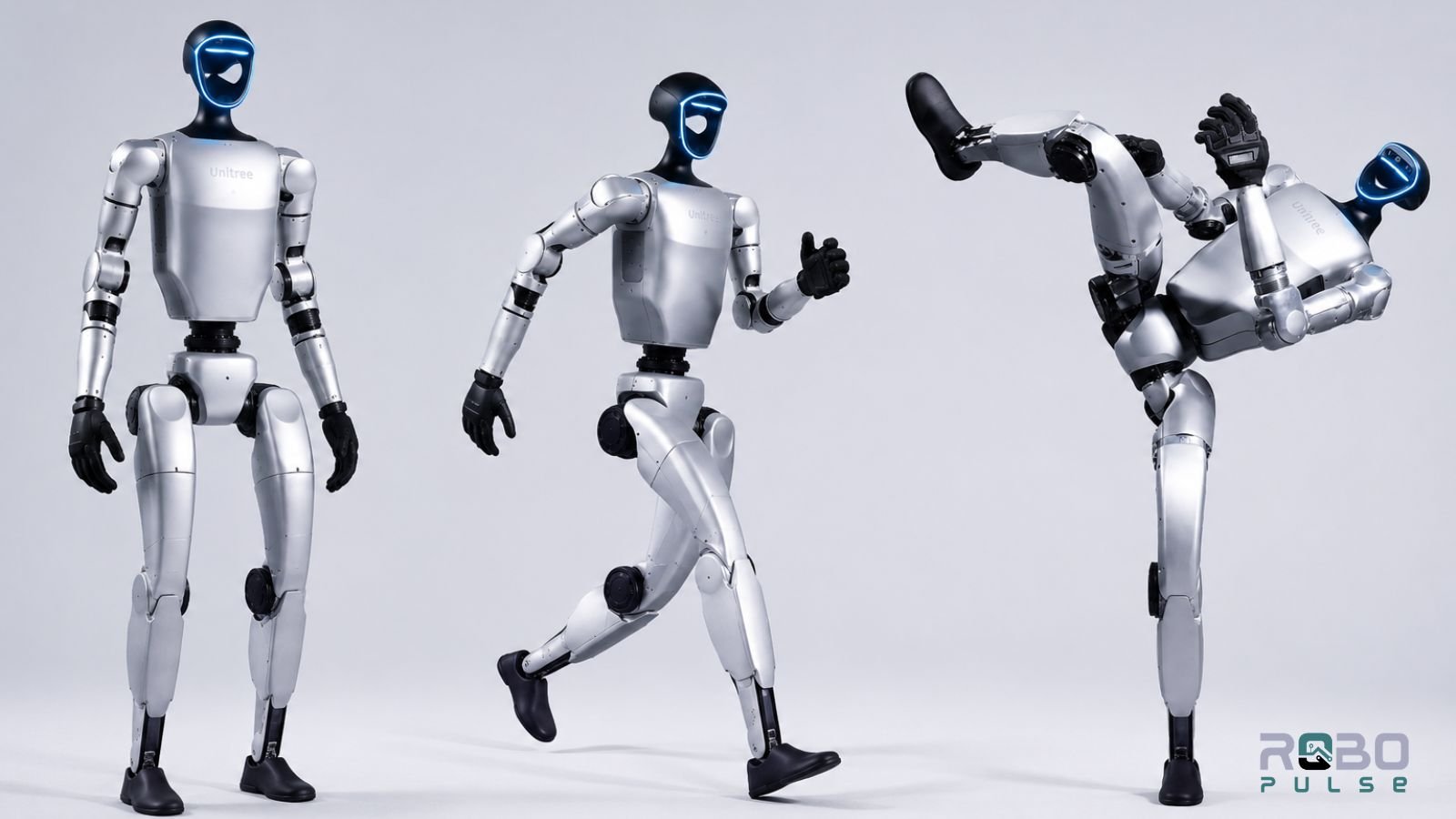
The G1 is not one robot. It is at least twelve — and the one in most news headlines, starting at $13,500, cannot be programmed.
The G1 Basic is a walking demonstration unit with locked firmware and no SDK access. It suits STEM exhibits, investor showcases, and marketing displays. For any research, reinforcement learning, manipulation development, or real SDK use, the entry point is the G1 EDU Standard at $43,900 — not $13,500. That distinction changes the entire buying calculation, and most coverage of the G1 buries it three paragraphs deep.
| Configuration | Price | DOF | Hands | Best For |
|---|---|---|---|---|
| G1 Basic | $13,500–$16,000 | 23 | Fixed grippers | Demos, exhibits, STEM marketing |
| G1 EDU Standard (U1) | $43,900 | 23 | Dummy hands, no wrists | Locomotion research, SDK foundations |
| G1 EDU Plus (U2) | ~$53,900 | 29 | Dummy hands + 3-DOF wrists | Mobile manipulation research |
| G1 EDU Pro (A/B/E) | $51,900–$56,900 | 35–37 | 3-finger or 5-finger dexterous | Grasping, imitation learning |
| G1 EDU Ultimate (A/D) | $65,900–$73,900 | 41–43 | 5-finger + full tactile array | Cutting-edge embodied AI labs |
The EDU line spans $43,900 to $73,900 depending on hand configuration, DOF count, and tactile sensing options. The right tier depends entirely on your research goals.
RoboPulse Take
At this price, the G1 EDU has no serious competitor for open humanoid development. The SDK is real, the community is active, and UnifoLM-VLA-0 gives researchers a working baseline on day one. The $13,500 headline is a distraction — budget for the EDU tier and ignore it.
Build and Mechanical Design
The G1 stands 1,320 mm tall and folds to 690 mm — compact enough to transport in a standard vehicle boot without disassembly. At roughly 35 kg, including the battery, two people can move it comfortably; one person can lift it in a pinch.
The frame uses ABS/PC panels with full internal cable routing. Exposed cables stress, snag, and fail during high-DOF movements — the internal routing protects the electrical bus whether the G1 is walking, recovering from a stumble, or performing a whole-body manipulation task.
IP54 covers dust and light splash — adequate for lab use, insufficient for outdoor deployment in rain or construction environments.
Foldability is a genuine operational advantage. Most humanoids at this size require dedicated flight cases or partial disassembly for transport. Pack it into a vehicle, arrive at the test site, unfold, calibrate, run.
Joint Architecture and Torque
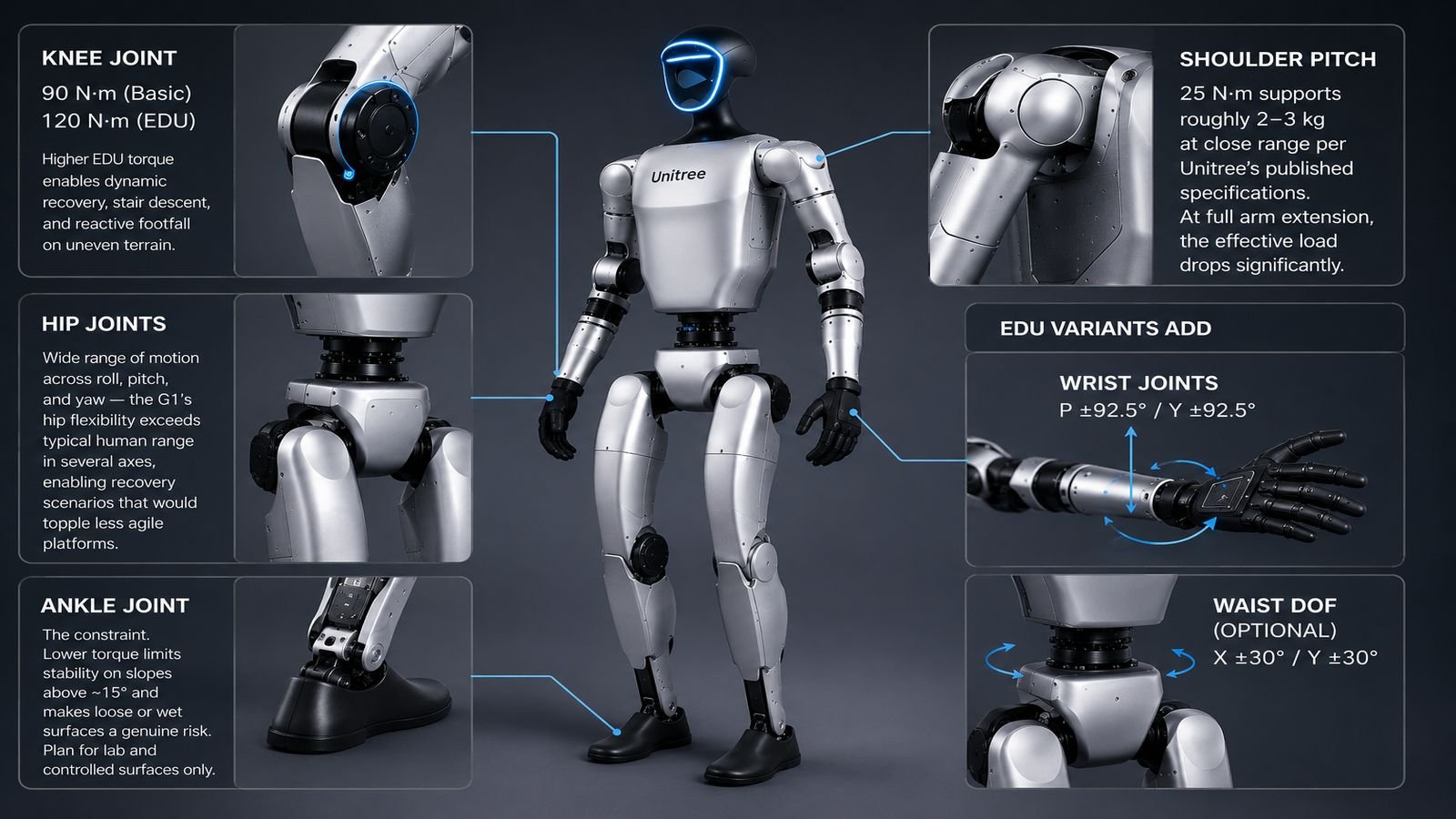
Knee joint: 90 N·m (Basic), 120 N·m (EDU). The higher EDU torque enables dynamic recovery, stair descent, and reactive footfall on uneven terrain. This is not a minor spec difference — it directly determines what locomotion research you can run.
Hip joints: Wide range of motion across roll, pitch, and yaw — the G1’s hip flexibility exceeds typical human range in several axes, enabling recovery scenarios that would topple less agile platforms.
Ankle joint: The constraint. Lower torque limits stability on slopes above ~15° and makes loose or wet surfaces a genuine risk. Plan for lab and controlled surfaces only.
Shoulder pitch: 25 N·m supports roughly 2–3 kg at close range per Unitree’s published specifications. At full arm extension, the effective load drops significantly. The G1 handles tabletop sorting and light manipulation — not human-scale industrial tooling.
EDU variants add wrist joints (P ±92.5° / Y ±92.5°) and optional waist DOF (X±30° / Y±30°) for whole-body manipulation tasks.
Sensing Suite
| Sensor | Spec |
|---|---|
| Livox MID360 3D LiDAR | 360° horizontal, 59° vertical — autonomous vehicle-grade point cloud |
| Intel RealSense D435i | Depth camera for obstacle detection and close-range manipulation |
| 4-mic array | Voice input and sound source localisation |
| 5W speaker | Two-way audio feedback |
| Wi-Fi 6 / Bluetooth 5.2 | Low-latency wireless development connectivity |
IMU: 6-axis on Basic, 9-axis on EDU. The 9-axis unit provides meaningfully better orientation data for dynamic locomotion and sim-to-real transfer.
The EDU Stack: What You Actually Get The
SDK and Programming Environment
unitree_sdk2 provide C++ and Python APIs for joint-level torque and position control. ROS 2 support covers Humble and Jazzy distributions via Cyclone DDS.
Infrastructure note: The G1 requires a dedicated local router on a static 192.168.123.x subnet — it does not connect to standard enterprise or university Wi-Fi out of the box. Factor this into your deployment setup.
Hardware I/O includes XT30UPB-F power outputs (VBAT 58V/5A, 24V/5A, 12V/5A), dual Gigabit Ethernet, USB 3.0/3.2, and GPIO for custom sensor integration.
Compute
The Jetson Orin NX (100 TOPS) handles local sensory processing well. For 7B parameter VLA inference on-device, execution rates vary by quantisation and batch size. Offloading inference to an external workstation via Ethernet is the common architectural choice when closed-loop manipulation speed matters.
Dexterous Hands
| Hand | Tier | DOF | Key Feature |
|---|---|---|---|
| Dex3-1 (3-finger) | EDU Pro | 7 active DOF | Force-position hybrid control, 9-zone tactile array |
| Inspire RH56 (5-finger) | EDU Ultimate | 6 DOF, 12 joints | Anthropomorphic, RS485/ROS integration |
Force-position hybrid control is the meaningful differentiator — the hand regulates contact force alongside position, enabling reliable grasping of deformable objects like eggs, fabric, and soft containers.
Integration Notes
- Power: Before connecting high-draw peripherals to the XT30UPB-F outputs, review Unitree’s published electrical specs. Developer reports suggest high-draw payloads can interact with actuator load — verify with Unitree support before deployment.
- Inference latency: When offloading VLA inference over Ethernet, the gap between remote inference and onboard joint execution is a real control loop consideration. PD gain tuning (Kp and Kd) via
unitree_sdk2may be required — the SDK docs and developer community are the right starting point.
UnifoLM-VLA-0: What the 2026 Open-Source Release Means
In March 2026, Unitree open-sourced UnifoLM-VLA-0 — a Vision-Language-Action model built on Qwen2.5-VL-7B, covering 12 manipulation task categories.
Researchers starting G1 EDU manipulation work no longer need to build a VLA baseline from scratch — UnifoLM-VLA-0 replaces weeks of initial policy training with a verified starting point to evaluate, fine-tune, and iterate on.
What it does not cover: navigation, room-level task planning, or dialogue. It is a manipulation foundation. Your research pipeline builds on top of it.
For Ultimate tier buyers running the full tactile array, follow Unitree’s ROS 2 tactile calibration routines between sessions — the developer documentation covers conditions under which drift may affect force-sensing reliability.
Sim-to-Real Pipeline
Moving a policy from simulation to the physical G1 follows a specific sequence. Skipping steps damages hardware.
- Configure in Isaac Lab or MuJoCo. Match joint mass values to the G1’s 35 kg frame. Target 4,096 parallel environments for Isaac Lab workflows.
- Apply domain randomisation. Vary friction, link masses, and payload limits across 0–3 kg for real-world robustness.
- Export and bind via
unitree_sdk2. Export as ONNX or TorchScript. Map outputs to joint torque limits (120 N·m knee max). Implement hard torque guardrails — the SDK documentation covers recommended approaches for safe mode transitions. - Initialise tethered. Suspend from a ceiling hoist or safety gantry. Start in low-gain position mode. Verify real-time data logs before switching to low-level torque command mode.
Skipping tethered initialisation is the fastest way to damage a $44,000 prototype. Budget for the gantry before the robot arrives.
Cold Weather Performance: The Altay Test
In early February 2026, the G1 logged more than 130,000 steps at −47.4°C (−53°F) in Xinjiang’s Altay region — tracing a Winter Olympics emblem roughly 186 metres long and 100 metres wide across snow and ice.
- Official operating range is −10°C to +45°C — the test exceeded the lower limit by nearly 40°C
- The robot was deliberately modified — not a stock factory configuration
- Beidou satellite navigation provided real-time centimetre-level positioning
Treat this as a structural durability signal, not a product specification. It does not mean the G1 is cleared for Arctic deployment out of the box.
Real-World Operational Limits
| Limit | What It Means for Deployment |
|---|---|
| Height (1,320 mm) | Cannot reach standard 36″ counters — design test environments around this from day one |
| Battery (~2 hrs) | On-device VLA inference shortens this further — budget a spare pack for sessions over 90 min |
| Terrain | Slopes above ~15°, loose gravel, and wet tile are genuine risks — flat lab floors only |
| Network | Requires a dedicated router on 192.168.123.x subnet — not compatible with standard enterprise Wi-Fi |
| Safety | Joint torques can cause serious injury — Unitree’s safety protocols are mandatory, not optional |
Competitive Context (2026)
| Robot | Price | Height | Shipping | Best For |
|---|---|---|---|---|
| Unitree R1 | $4,900–$5,900 | 1.22 m | Pre-order/limited | Budget locomotion, hobby AI |
| Unitree G1 Basic | $13,500–$16,000 | 1.32 m | Now | Demos, exhibits |
| Unitree G1 EDU | $43,900–$73,900 | 1.32 m | Now | Research, manipulation AI |
| Unitree H2 | $29,900 (base)* | 1.82 m | Q2 2026 | Human-scale research, demos |
| Unitree H1 | ~$90,000 | 1.80 m | Now | Industrial pilots, high-speed locomotion |
| Agility Digit | ~$250,000 | 1.75 m | Enterprise | Production logistics |
| Figure 02 | Undisclosed | 1.67 m | Partner pilots only | Autonomous industrial labour |
| Apptronik Apollo | Enterprise | 1.73 m | Early commercial | General-purpose enterprise pilots |
Per Unitree announced pricing — verify directly before purchasing.
G1 EDU vs. H2: The Decision Most Labs Are Actually Making
Does your research require human-scale workspace reach? That’s the question.
| Feature | G1 EDU (Standard) | H2 (Base) | What It Means |
|---|---|---|---|
| Price | $43,900 | $29,900* | H2 Base is cheaper but lacks open developer access |
| Height | 1,320 mm | 1,820 mm | H2 is human-scale; G1 is desk and lab size |
| Weight | ~35 kg | ~70 kg | H2 requires two people and heavier logistics |
| DOF | 23 (scalable) | 31 | H2 adds a 3-DoF waist and a 2-DoF bionic neck |
| Leg Torque | 120 N·m knee peak | 360 N·m hip/leg peak | H2 has triple the torque to move a 70 kg frame |
| Arm Payload | ~3 kg | ~7 kg rated / 21 kg peak | H2 handles commercial-grade materials |
| Workspace Reach | Cannot reach 36″ counters | Full interaction with doors and benches | H2 built for real-world environment pilots |
| Hands | Dummy hands (no wrists) | Dummy hands | Both base tiers need upgrades for dexterity |
| Compute | Jetson Orin NX (100 TOPS) | Intel Core i5 only | H2 Base lacks onboard edge-AI GPU |
| Perception | 3D LiDAR + depth camera | Wide-FOV binocular camera | G1 has spatial LiDAR out of the box |
| SDK Access | ✅ Full — C++, Python, ROS 2 | ❌ App-control only | H2 Base needs unpriced H2 EDU tier for development |
| Best For | Open-sandbox AI labs, RL research | Business pilots, public exhibits | G1 EDU is ready to code on day one |
Per Unitree announced pricing — verify directly before purchasing.
The G1 EDU costs more than the H2 Base but offers a more mature developer ecosystem today. If human-scale reach is your priority, the H2 is worth considering — just account for H2 EDU pricing rising separately and a thinner research community.
Against the Rest of the Field
Agility Digit (~$250,000): The more mature logistics platform for enterprise warehouses. The G1 EDU can’t match its payload or scale — but Digit’s closed ecosystem doesn’t permit the open research the G1 enables.
Figure 02 (undisclosed): Proprietary AI, not available to independent researchers. The G1 EDU is the opposing philosophy — open SDK, documented APIs, active community.
Apptronik Apollo (enterprise): Targets commercial operations at a price most research labs will never reach. Not the same buyer.
The G1 wins exactly one category outright: developer accessibility. It loses on payload, industrial readiness, and enterprise support. It costs a fraction of every competing platform — and at the research stage, that changes the entire calculation.
Who Should NOT Buy the G1 EDU
- You need industrial deployment today — the G1 is a research platform, not a production solution
- Your tasks require payloads above 3 kg — shoulder torque makes this unreliable for anything heavier
- Your environment involves outdoor terrain or wet surfaces — ankle torque constraints make this a controlled-environment robot
- Your team lacks ROS 2 experience — this is not plug-and-play; budget for significant onboarding time
If most of those apply, the H2, H1, or a next-generation compact platform is the more honest recommendation.
Buyer Decision Framework
| If your priority is… | Choose |
|---|---|
| SDK access + locomotion research under $50K | G1 EDU Standard — $43,900 |
| Manipulation + force-controlled dexterous hands | G1 EDU Pro — $51,900–$56,900 |
| Cutting-edge embodied AI + full tactile sensing | G1 EDU Ultimate — $65,900–$73,900 |
| Human-scale reach + payloads above 3 kg | Unitree H2 (EDU tier required for dev access) |
Final Scores
| Category | Score |
|---|---|
| Hardware Value | 9.5 / 10 |
| SDK & Software | 8.5 / 10 |
| Manipulation Capability (EDU Pro/Ultimate) | 8.0 / 10 |
| Operational Practicality | 7.0 / 10 |
| Industrial Readiness | 5.5 / 10 |
| Overall | 8.4 / 10 |
Final Verdict
Among currently shipping programmable humanoids, the G1 EDU sits at the most accessible end of the price-to-capability spectrum. The Altay cold test and the UnifoLM-VLA-0 release point are in the same direction: a company shipping real capability, not roadmap promises.
Know the limits before you buy:
| Limit | Impact |
|---|---|
| Height | Restricts interaction with standard work surfaces |
| Ankle torque | Limits usable terrain to controlled environments |
| Battery | Constrains session length under heavy compute load |
| Network | Requires a dedicated router — surprises most buyers |
None of these are dealbreakers for a lab that plans around them. They’re operational inputs, not fatal flaws.
Built for:
- University labs needing open SDK access under $50K
- AI startups building and testing embodied intelligence
- Enterprise teams validating humanoid workflows before committing to six-figure platforms
At this price, no currently shipping alternative matches the G1 EDU’s combination of open SDK, ROS 2 integration, UnifoLM-VLA-0, and configurable dexterous hands.
Note: Unitree IPO filing metrics cited in some industry coverage should be verified against official filings before being treated as confirmed data.
Buy the EDU tier that matches your research goals.
Review Methodology & Disclosure
Methodology: Based on Unitree’s official specifications, SDK documentation, developer resources, public demonstrations, and industry reporting as of June 2026. RoboPulse has not conducted hands-on testing — all analysis is drawn from publicly available data and developer community feedback.
Pricing: Based on official and authorised reseller listings as of June 2026. Prices vary by configuration and region — verify directly with Unitree or an authorised partner before purchasing.
Independence: RoboPulse is an independent publication with no affiliation with Unitree Robotics. No manufacturer reviewed, approved, or funded this article.